
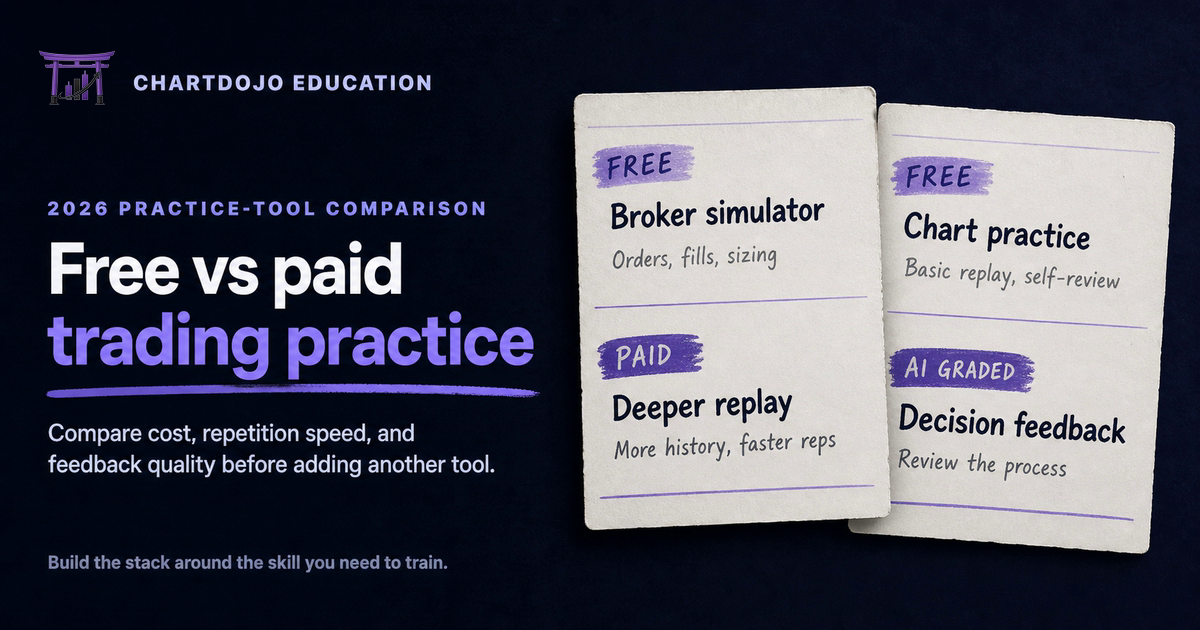
TL;DR
- Free simulators are good at order-entry practice. They let you learn a platform, test basic rules, and make mistakes without risking cash.
- Paid chart-replay tools earn their keep when they remove waiting time, open more historical data, or make repeated practice easier.
- AI-graded practice solves a different problem. It reviews the quality of a decision instead of merely recording whether a simulated trade won.
- A useful stack can mix free and paid tools. Start with a free simulator, identify the slowest part of your practice loop, then pay only for the tool that fixes it.
- Judge every tool by practice repetitions and useful feedback per week, not by the size of its feature list.
Free and paid tools train different parts of trading
The usual free-versus-paid debate starts with a feature checklist. That is the wrong place to begin. A useful free vs paid trading practice comparison starts with the skill you need to train. A beginner does not need the largest collection of indicators or the longest menu of order types. The first question is simpler: what part of trading are you trying to practice today?
A broker simulator such as Webull paper trading or thinkorswim paperMoney is mainly an order-flow tool. You learn where orders live and how positions change after a fill. You also see how a stop behaves. The simulated balance gives you a place to rehearse sizing rules. This work matters, especially before a first live trade. It is also available at no direct software cost.
Chart replay trains recognition and timing. TradingView Bar Replay lets you hide future candles and move through historical price action. You can test whether a setup was visible before the outcome became obvious. At the time of this review, TradingView listed Bar Replay on its Basic plan with 180 days of minute history. Paid plans increased that intraday depth to 365 days or all available minute history, depending on tier. TradingView changes plan details periodically, so check its current pricing page before paying for a specific replay capability.
Graded chart practice addresses the review stage. A normal simulator tells you the entry price and eventual profit or loss. It usually cannot tell you whether the setup matched your rules or whether risk was defined before entry. It also cannot judge whether a winning outcome came from a poor decision. ChartDojo sits in this layer: paper trading with AI grading on decision quality. It is designed to sit between simulator work and real capital, not replace a broker simulator.
This distinction prevents an expensive mistake. Paying for a premium simulator will not automatically improve feedback. Buying more chart history will not fix inconsistent position sizing. Before subscribing, name the exact bottleneck you expect the tool to remove.
Side-by-side comparison for a weekly practice plan
The table below uses a simple practice-loop model. One loop means opening a scenario and recording a decision. You then see the result and review the choice. The time estimates are practical planning ranges rather than vendor promises. Your chosen market and review depth will change them.
| Practice tool | Direct cost | Main skill trained | Typical loop | Feedback quality | Best use |
|---|---|---|---|---|---|
| Webull paper trading | Free account | Order entry and basic sizing | 15 to 30 minutes during market hours | Outcome and account data | Learning mobile or desktop order flow |
| thinkorswim paperMoney | Free with eligible Schwab access | Platform mechanics and complex orders | 20 to 40 minutes | Outcome and detailed platform data | Practicing a broker-style workflow |
| TradingView Basic | Free | Chart reading and basic replay | 10 to 25 minutes | Self-review | Testing whether chart replay fits your routine |
| TradingView paid plan | Subscription | Higher-volume replay work | 5 to 15 minutes | Self-review with more data access | Repeated historical practice across chosen timeframes |
| ChartDojo | 3-day free trial; no monthly plan listed when checked | Decision quality under chart uncertainty | 5 to 10 minutes | AI-powered feedback on the decision | Adding an outside grader before live trading |
A practical comparison using one complete decision-and-review loop. Current eligibility, plan limits, and subscription terms should be confirmed on each provider's official site.
There is a useful number hidden in the table: weekly reviewed decisions. Suppose you have five 20-minute practice blocks, or 100 minutes a week. A 25-minute simulator loop gives you about four reviewed decisions. A 10-minute replay or graded-practice loop gives you about ten. That is a 2.5 times increase in repetitions, assuming the shorter loop still includes a real review. More repetitions are not automatically better, but the calculation shows what a paid tool must accomplish to justify its cost.
The quality column matters just as much. Self-review is cheap and flexible, but it has a blind spot. You already know what you meant to do, so it is easy to forgive a late entry or move a rule after seeing the result. Outcome data is objective but incomplete. A green simulated trade can still contain a bad entry or poor sizing. It may also hide an improvised stop. External grading costs more because it tries to evaluate the decision itself.
When free trading practice is enough
Stay with free tools while you are learning basic mechanics. If you still pause to find the order ticket or confuse stop and stop-limit orders, a paid replay plan will not speed up the lesson. The same is true if buying power changes still surprise you. Use a free broker simulator until the platform feels ordinary.
Free tools are also enough for testing a simple routine. Pick one liquid market and one setup. Define a fixed risk rule before the session. Run the routine for two weeks. Record the valid scenarios you found and the ones you skipped correctly. Keep a separate count of decisions that broke your written rules. This short test tells you whether your real problem is access or review quality. It can also expose inconsistent practice.
Webull can be convenient for stock and options order practice. thinkorswim paperMoney offers a deeper broker-style environment for eligible users. Availability and market data can depend on account status or location, so confirm the current terms in the official documentation. The goal is not to crown one universal winner. Choose the interface closest to the broker workflow you expect to use later.
TradingView's free access is a sensible way to learn its charts before subscribing. Try replay on the markets and timeframes available to you. If the limits rarely interrupt a session, keep the free plan. Paying for unused history is still wasted money.
Free practice stops being enough when the same constraint interrupts several sessions in a row. Maybe you cannot reach the historical period you need. Maybe waiting for live candles leaves too few examples. Maybe your review keeps producing the same vague note: "I should have been more patient." That repeated constraint is evidence for an upgrade. A long feature comparison is not.
What a paid practice tool should buy you
A paid tool should buy time or better access. It may also buy better feedback. If it does none of those in your actual routine, cancel it. This standard is deliberately strict because trading software stacks become cluttered fast. Five modest subscriptions can cost more than the account a beginner plans to trade.
Time means more complete loops in the same schedule. Replay can let you practice after market hours instead of waiting for a setup during the session. Faster navigation can also reduce dead time between examples. Access means the historical depth or timeframe required by your written method. If you practice five-minute pullbacks, daily-only replay does not test the skill you care about.
Better feedback means the review becomes more specific. "Bad trade" is not specific. "Entry was taken after the planned trigger, while the stop required 1.8 times the allowed risk" gives you something to fix. Coaching can provide this level of detail, but human review is hard to schedule for every repetition. AI feedback is useful when it is tied to a defined decision and does not pretend to predict the next move.
Run a seven-day paid trial like an experiment. Write down your current weekly loop count and the recurring mistake you want to reduce. During the trial, use the product in the time slot you will keep after the novelty fades. At the end, compare completed loops and the specificity of the feedback. Do not count hours spent customizing layouts as practice.
A paid plan is worth keeping when it changes behavior. You should see cleaner rule adherence or faster identification of mistakes. More consistent practice is another valid result. If the result is only a nicer dashboard, the free option was probably enough.
A sensible free-to-paid practice stack
Start with one free broker simulator. Reset the paper balance to something close to the live account you may eventually fund. Use realistic position sizes and limit the number of trades per session. This keeps fake money from teaching reckless habits. The longer guide on how to practice trading without losing money explains how to structure this stage.
Add chart replay only when waiting for examples becomes the bottleneck. TradingView is a practical choice because the same chart can serve both current analysis and historical practice. Test the free tier first. Upgrade if the plan limits block your chosen market or timeframe. Historical depth can be a separate reason to upgrade.
Add an outside grader when your notes keep repeating without changing your choices. A coach or trusted review partner can fill the role. An AI grading layer is another option. Keep the grader focused on process. Directional predictions and confident profit promises do not belong in a practice plan.
Finally, delay live trading until your routine is stable. A beginner roadmap should move from knowledge to repeatable decisions, then to small real-money exposure. Our free beginner trading roadmap shows how those stages fit together.
This stack is intentionally mixed. The free simulator handles broker mechanics. Replay supplies examples on demand. Graded practice checks the reasoning. You can remove any layer that does not solve a current problem.
What could happen
Your first week may show that free tools already cover the work you need. If your simulator sessions run without interruption and your review notes stay specific, there is no reason to add a subscription. Keep the routine simple and put the saved money toward future trading capital.
A different result is possible. Historical limits may keep blocking the timeframe you need, or self-review may fail to identify why the same mistake repeats. That gives you a narrow reason to test paid replay or outside grading. Upgrade one layer at a time so you can see whether it changes the practice loop.
Watch next
Watch the number of complete decision-and-review loops you finish each week. Screen time alone is a poor measure. Also note how often a tool interrupts your chosen market or timeframe. The last check is feedback quality: can you name the exact rule to carry into the next scenario? Recheck vendor terms before renewing because replay limits and access rules can change.
Where ChartDojo fits
ChartDojo is chart practice with AI-powered feedback on decision quality. You work through historical chart situations and make the decision before seeing what happens next. The feedback then addresses the reasoning. A profitable outcome does not excuse a poor process, and a losing outcome does not automatically make a sound decision wrong.
It fits after basic paper-trading mechanics and before meaningful live risk. Use Webull paper trading or thinkorswim paperMoney to rehearse the platform workflow. TradingView Bar Replay can handle chart repetition. Use ChartDojo to add a grader to the decision. The current 3-day free trial includes three AI analyses per day, unlimited practice sessions, and no card requirement, so you can test whether the feedback makes your practice more specific.
Build real skills, not bad habits. Start the free trial, follow the daily practice cadence, and review the AI-powered feedback while the decision is fresh. Carry one correction into the next scenario.
FAQ
Are paid trading simulators more realistic than free ones?
Sometimes, but price alone does not guarantee realistic fills or emotional pressure. Compare market data with order behavior. Check the account rules you can configure as well. No simulator fully recreates the psychology of risking real money.
Which free trading practice tool is best for beginners?
Choose the free simulator closest to your future broker workflow. Webull is approachable for many stock traders, while thinkorswim paperMoney has a deeper desktop environment for eligible users. TradingView is a better starting point when the main goal is chart replay rather than broker mechanics.
When should I pay for TradingView Bar Replay?
Pay when free-plan limits repeatedly block the history or timeframe required by your routine. Test the workflow first. If you rarely reach the limit, the subscription will not improve your practice.
Can AI feedback replace paper trading?
No. Paper trading rehearses orders and fills inside an account. AI grading reviews the quality of a chart decision. They solve different problems and work better as consecutive layers.
How much should a beginner spend on practice tools?
Start at zero. Use free tools until you can name a repeated constraint. Then test one paid solution during a trial and keep it only if it increases useful repetitions or improves feedback.